Bank statement analyzerfor Kenyan books.
Upload an M-Pesa or bank statement and get categorised transactions, a trial balance, an income statement, a balance sheet and a cash flow statement out the other side. Free bookkeeping software built for how money actually moves in Kenya, and the fastest way to turn a year of transactions into accounts you can file, bank, or hand to an accountant.
Free to use. A free sign-in keeps your uploads and reports in your own workspace.
Statement in, accounts out
Why bookkeeping matters
Most small businesses do not fail from bad decisions. They fail from not knowing.
A bank balance tells you what you have today. It does not tell you whether you made money this month, which customer has not paid, how much of your revenue went to one supplier, or whether you can afford the loan you are about to take. Those answers come from bookkeeping, and bookkeeping is the part everyone puts off.
It is also the part that costs the most to outsource, because most of the fee is data entry rather than judgement. Someone reads your statement line by line, decides which account each transaction belongs to, and types it in. That work is mechanical, repetitive, and exactly what software should be doing.
You still need the judgement. The analyzer flags what it is unsure about and puts it in a review queue rather than guessing, so the categories are yours. What it removes is the typing.
What you get from one upload
Categorised transactions
Every line classified to an account, with a review queue for the ones the rules were not sure about. Internal transfers between your own accounts are detected and excluded, so moving money does not show up as income.
Trial balance
Debits and credits by account, footing to zero. The check an accountant runs first, and the fastest way to see that nothing has been miscoded.
Income statement
Revenue, cost of sales, operating expenses and profit for the period, in the format a lender or the KRA expects to see.
Balance sheet
Assets, liabilities and equity at the period end, with a statement of changes in equity alongside it.
Cash flow statement
Operating, investing and financing activities separated, so you can see whether trading generated the cash or borrowing did.
Aged receivables and payables
Who owes you, who you owe, and how long it has been outstanding. The report that tells you why a profitable month still felt tight.
Who uses it
Anyone whose records start as a bank statement
Small businesses and sole traders
If your books are a bank statement and a shoebox, this is the shortest route to accounts you can file, show a lender, or hand to an accountant without paying them to do the typing.
SACCOs, chamas and welfare groups
Contributions, loans and disbursements categorised and totalled, with member-level statements, so the treasurer can report to the committee with figures that reconcile.
Accountants and bookkeepers
Cut the data-entry hours out of a compliance job. Import, review the exceptions, export to Excel with the formatting intact.
Individuals planning their money
Find out what you actually spend before you build a plan around what you think you spend. The results feed straight into the financial planner.
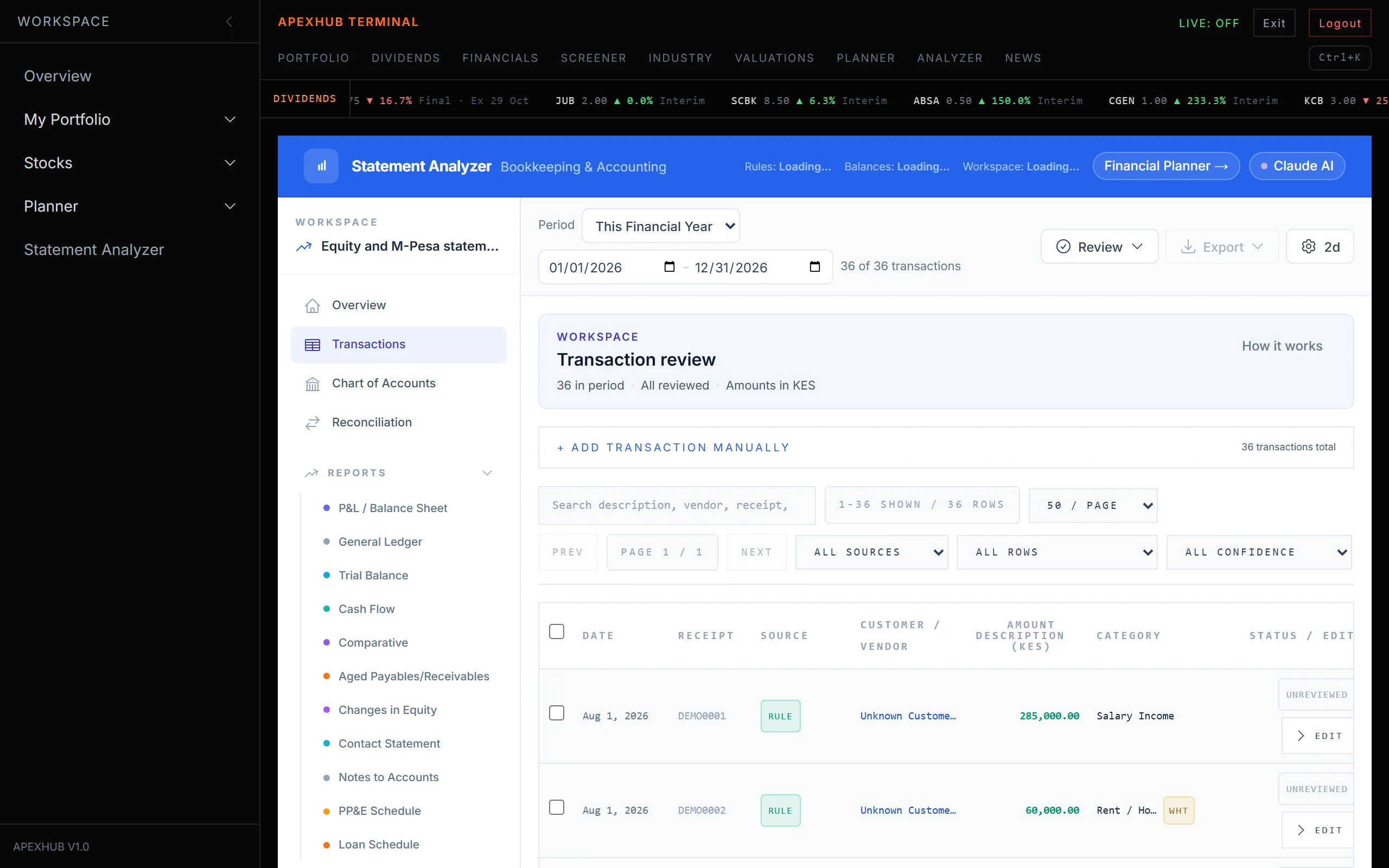
Transactions · categorised on upload, with a review queue for anything uncertain
Bookkeeping into planning
The past is the only honest starting point for the future
Every financial plan begins with two numbers: what comes in and what goes out. Almost everyone estimates both, and almost everyone is wrong, usually on spending. The analyzer gives you the real figures from your own statement, and a bridge carries them into the financial planner so the projection is built on evidence rather than recollection.
Later, you can upload a fresh statement and check the plan against what actually happened. That is the difference between a plan you wrote once and a plan you are running.
See what the financial planner doesCommon questions
Statement analyzer FAQ
Which bank statements does the statement analyzer support?
Statements from Kenyan banks and M-Pesa exports. Upload the PDF or spreadsheet your bank gives you, and the analyzer reads the transaction lines out of it. Nothing needs retyping.
Can I convert a bank statement to Excel?
Yes. Every report exports to Excel with the formatting preserved, and to a branded PDF for printing or sending on. The transaction list exports too, so you can keep working in a spreadsheet if you prefer.
Is it really free bookkeeping software?
The analyzer is free to use today. A pay-as-you-go tier is planned but nothing is charged or enforced at the moment.
Does it handle VAT and withholding tax?
Yes. Accounts carry VAT treatment, vendor withholding tax is tracked, and there is a KRA tax workspace covering PAYE and depreciation schedules alongside the main reports.
How does this connect to the financial planner?
The analyzer produces your real income and spending; the planner needs exactly that as its starting point. A bridge carries the totals across so your projection is built on what your statement actually shows rather than an estimate, and you can check back later to compare plan against actual.
Is my bank statement data safe?
Your statement is processed for your own workspace and is never shared. You can delete an upload at any time.
Start with one statement.
Upload a single month and see what comes back. If the categories look right, run the year.